Refreshing the Dungeon Textures
I refreshed the dungeon wall and floor textures. I made them with Codex’s image generation tool, then refined them as I tried them out in the dungeon.
The development comparison images are separate renders of the game’s models and materials.
The First Three Corridor Concepts
I started with three cave corridors: grey limestone, mossy bedrock, and brown shale.
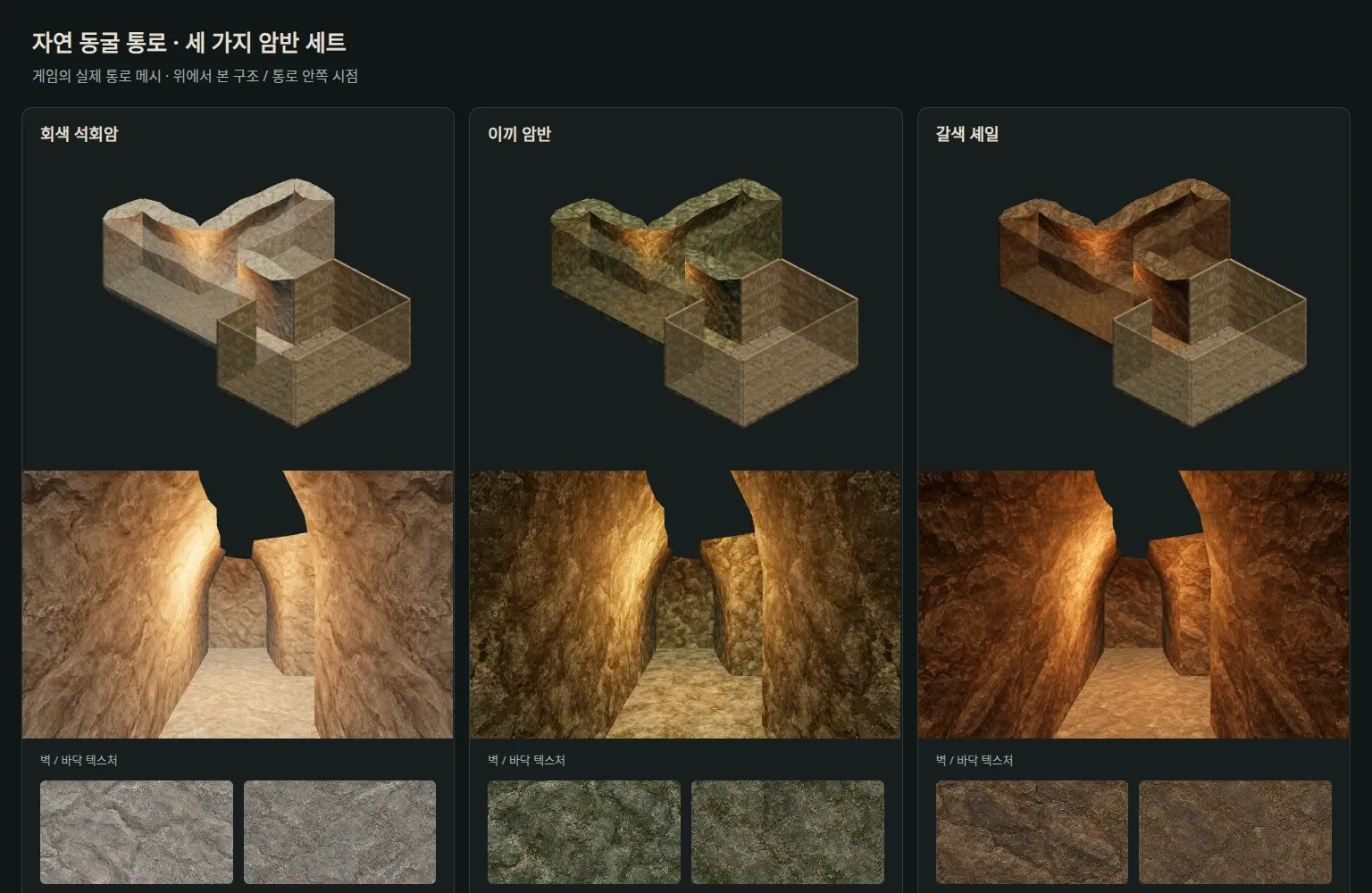
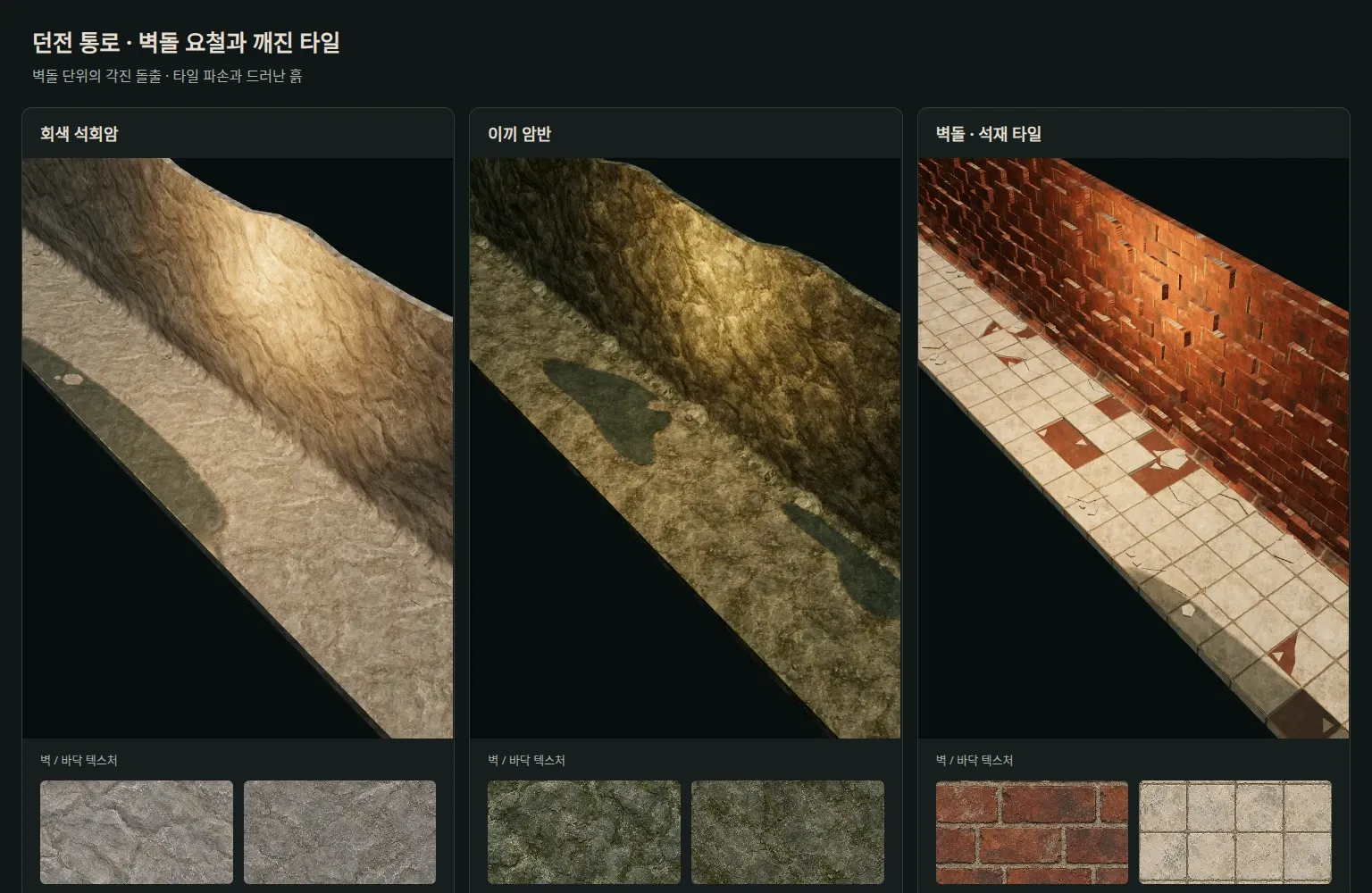
The brown shale felt too similar to the mossy bedrock, so I replaced it with bricks and tiles. Below is an intermediate version with red bricks, broken tiles, and small rocks on the floor.
A More Weathered Look
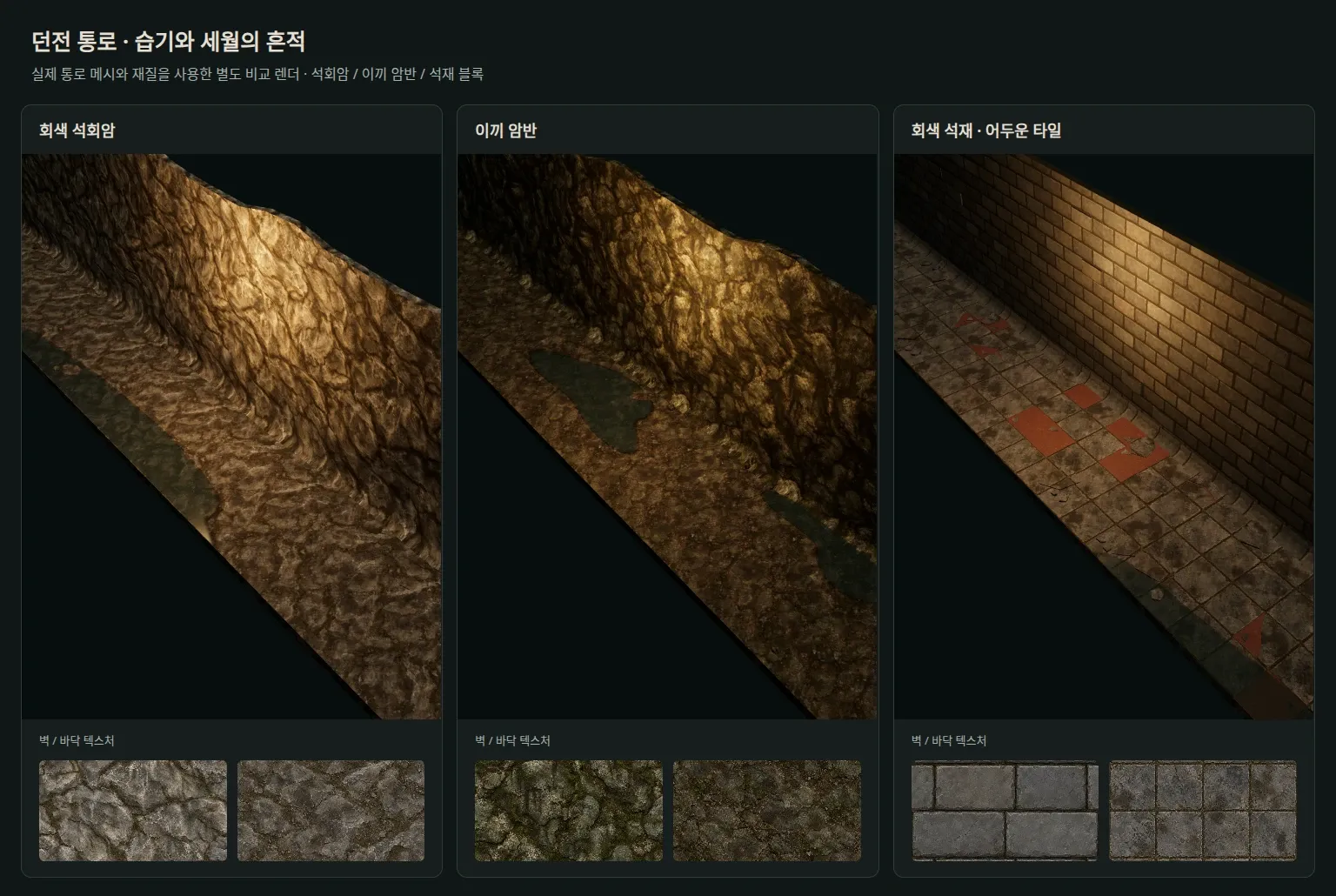
I added moss, water stains, and grime to the walls and floors. The red bricks became grey stone, and the pale floor became dark grey tiles.
Together with the puddles, these changes gave the dungeon an older, damper feel.
Making Individual Blocks Read Clearly
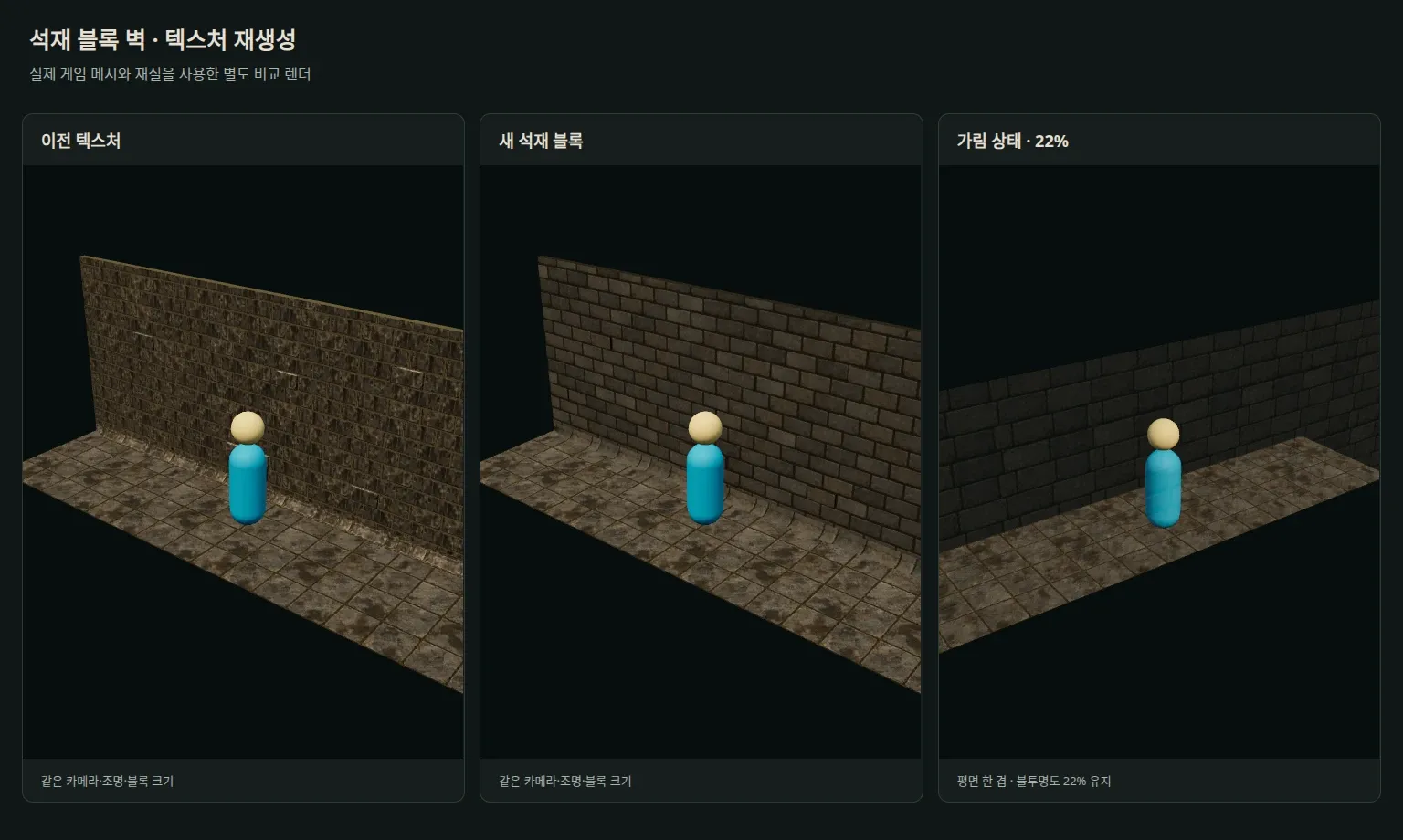
The masonry texture had so many fine markings that the blocks were hard to distinguish. I reduced the markings and made the joints clearer so the stacked stones would read better from a distance.
I also toned down the protruding bricks and improved how walls fade when they block the view of the character.
Cracks, Moss, Water Stains, and Cobwebs
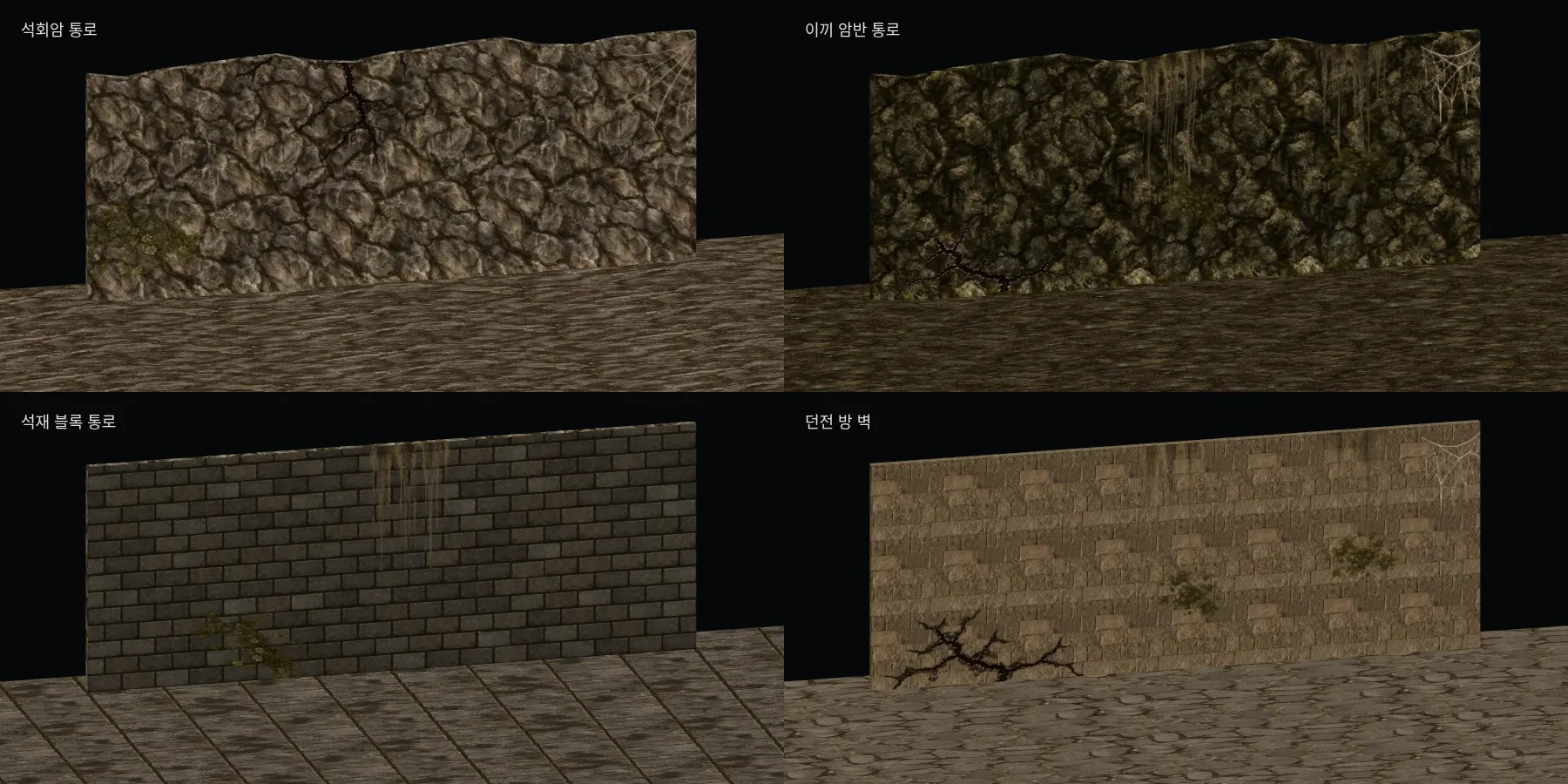
Finally, I layered cracks, moss, water trails, and cobwebs over the walls. Varying their position and size gives walls a slightly different look even when they share the same material.
These details also went onto the existing dungeon room walls. Below is the result with those finishing touches added.
In the Game
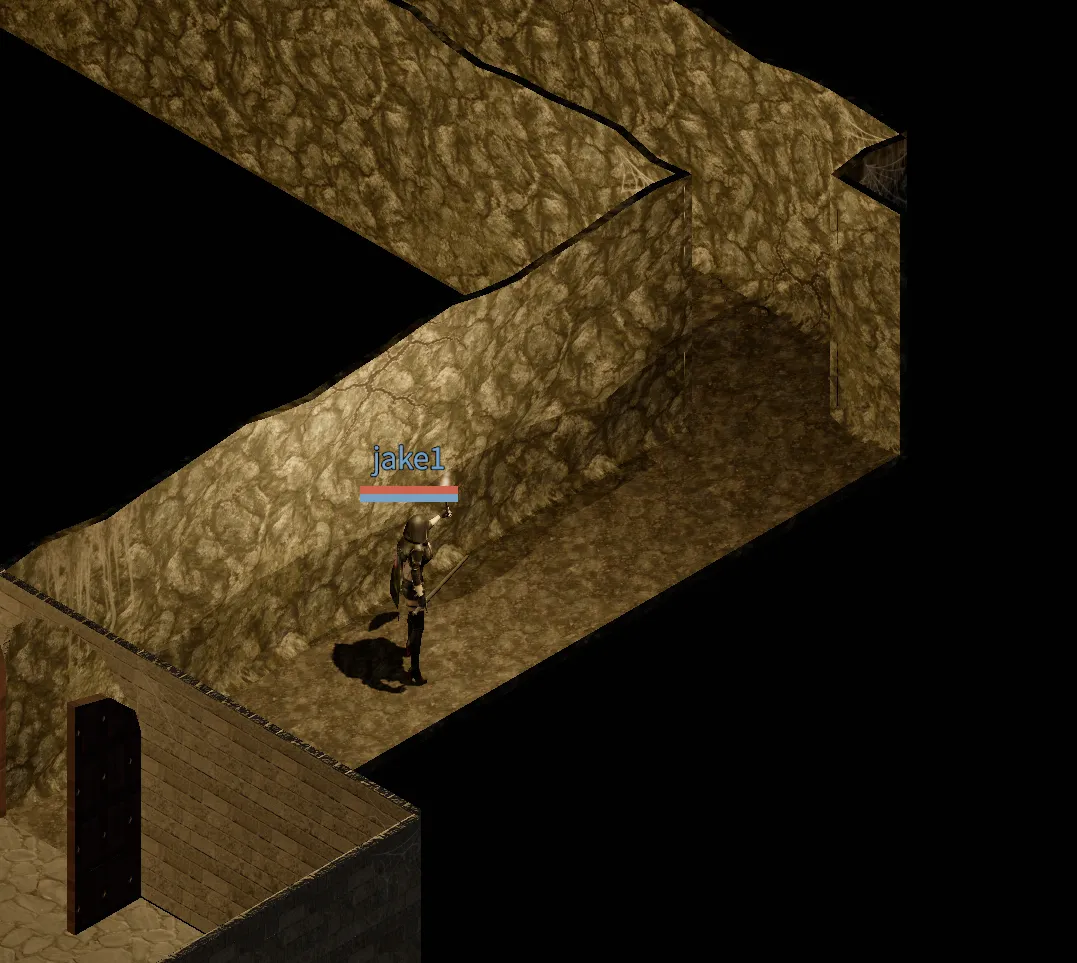
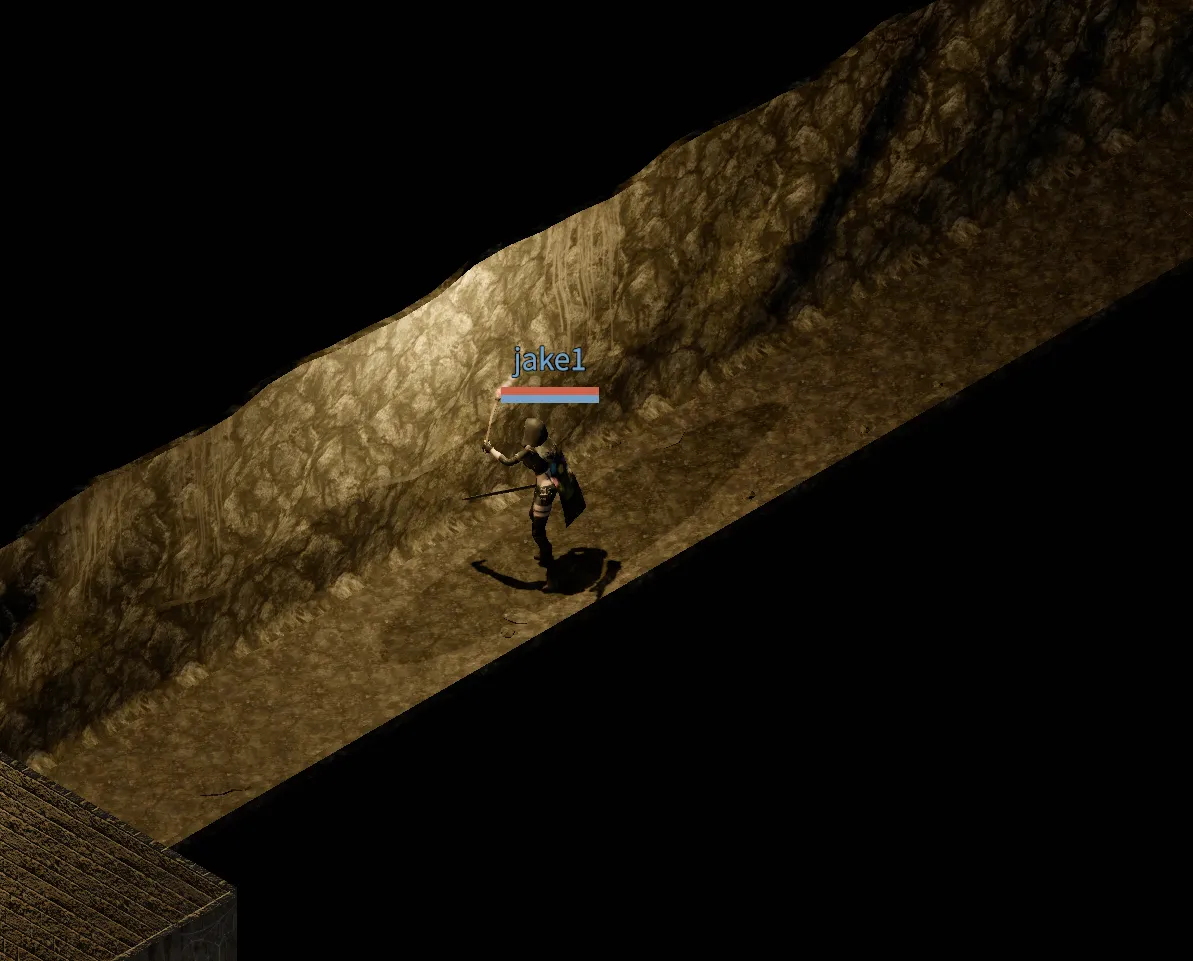
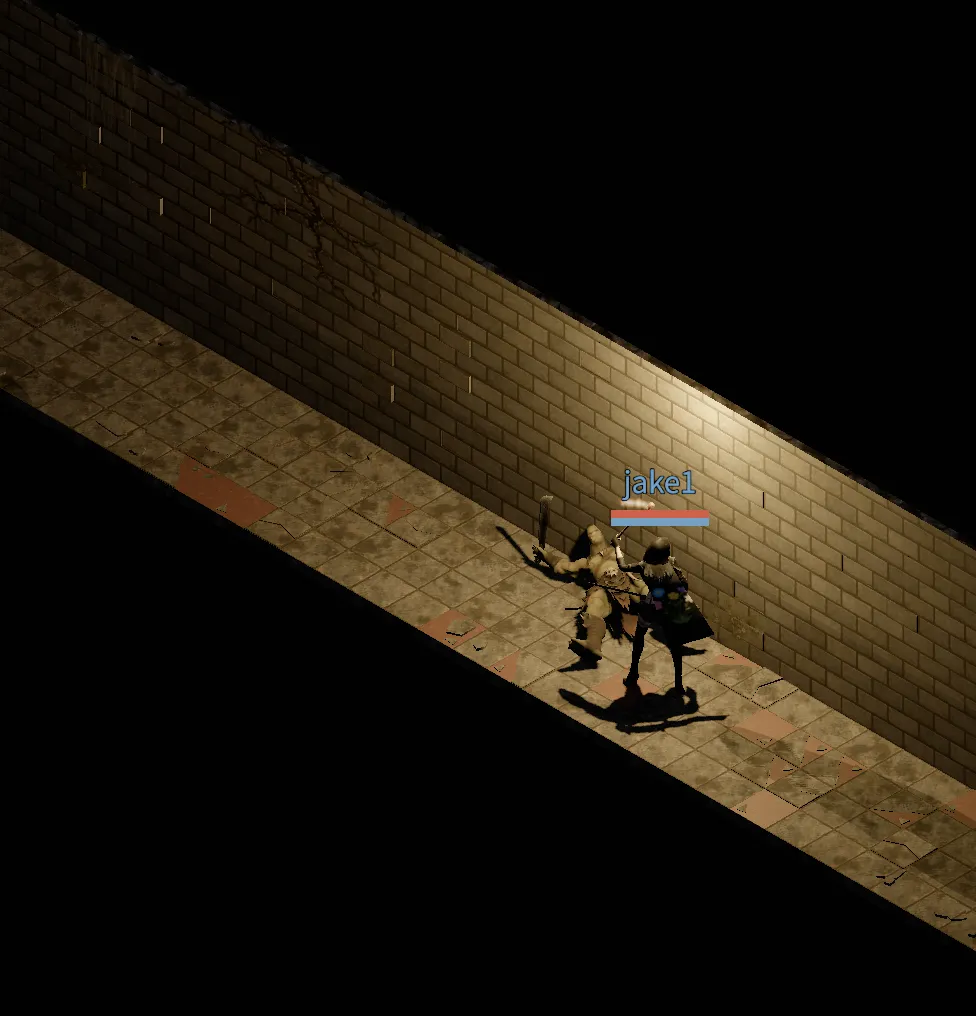
Here are screenshots taken in the game after the refresh.
The Sound of Dripping Water
I also added the sound of water dripping into the puddles. Turn on the sound for the clip below.